
ScripTree
Portable GUI generator for command-line tools.
- Commits
- 230
- Stars
- 2
- Created
- April 16, 2026
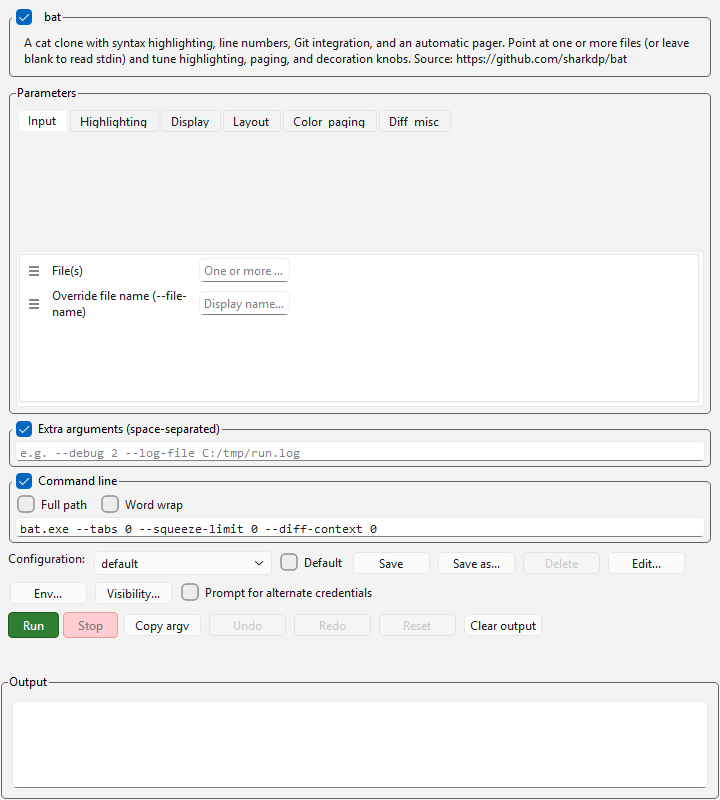
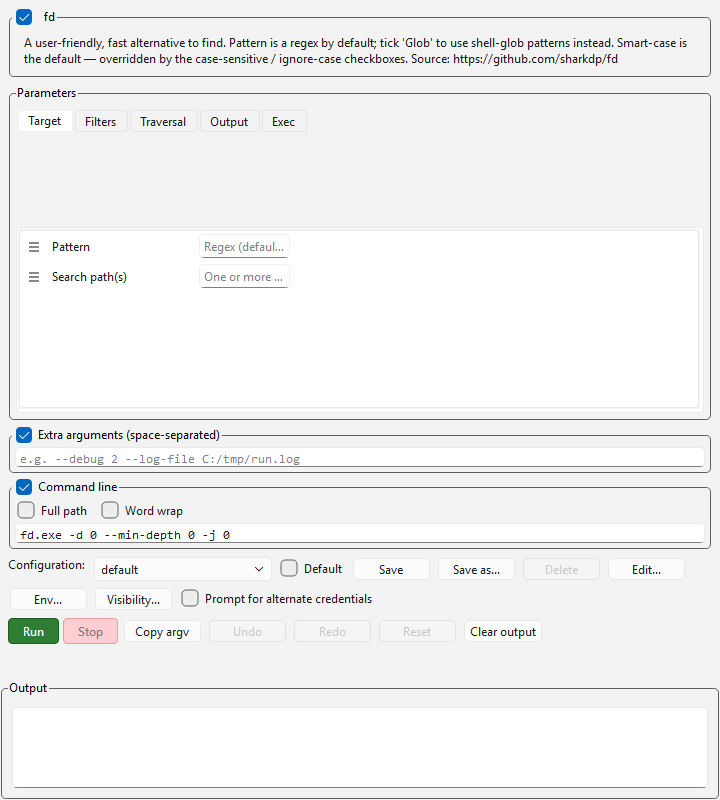
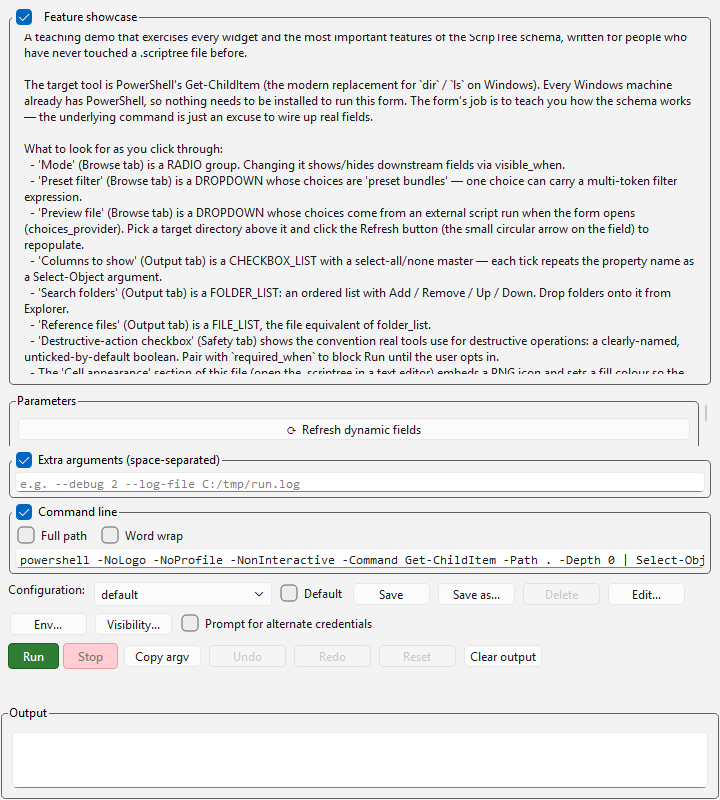
ScripTree turns CLI tools into graphical applications without writing UI code. Point it at any executable—Python script, PowerShell, Linux binary—and it parses the help text, builds a form from the arguments, and wraps the execution in a desktop window.
It is fully portable (one zip, no installer, no admin rights), encrypted-credential aware, and permissions-based (32 capability flags, file-based, NTFS ACL compatible). You can distribute a .scriptree file to an end user, they double-click it, and they get a labeled-field form tailored to that tool—no technical knowledge required.
Three launcher shells ship in one installation: the forest workspace (persistent desktop state + multi-catalog discovery), the bare ring shell (floating hexagonal launchers), and the classic V1 editor. Plus a headless screenshot tool that renders any ScripTree widget to PNG without ever displaying a window—used for the demo gallery and documentation.
What it does
ScripTree is a parser + form generator + execution wrapper in one. Auto-parse any CLI tool’s help output (argparse, click, PowerShell, GNU-style). Build a form from the arguments automatically. Run it in a desktop window with labeled fields, dropdowns, file pickers, checkboxes, and live command-line preview. No UI code written.
Portability
Install once, run anywhere. The portable ZIP contains vendored Python, PySide6, and all dependencies. Copy the folder to a USB drive, drop it on another machine, run run_scriptreeforest.bat. No registry, no installer, no admin rights, no network required. The launcher self-heals missing dependencies by offering to download a portable Python runtime.
Permissions and corporate deployment
32 capability files, file-based, NTFS ACL compatible. IT admins deploy the permissions/ folder read-only, grant write on specific files per AD group, and lock .scriptree files read-only — users can run tools but not edit them. No per-user config, no cloud, no agents.
The test suite
180 test files, 3,125 test functions. Argument parsing, field types, configurations, security sanitization, file I/O, permissions enforcement—all covered.
The usual path is: extract the portable zip, double-click run_scriptreeforest.bat, start building tool catalogs. 230 commits.
Screenshots
Where this stands
Better at
- Fully portable: one ZIP file, no installer, no admin rights, runs on any Windows machine after extraction.
- 180 test files and 3,125 test functions, covering argument parsing, field types, configurations, security sanitization, file I/O and permissions enforcement.
- Permissions system: 32 capability files, file-based, compatible with NTFS ACLs and corporate deployment.
- Three launcher shells in one installation: forest workspace (persistent multi-catalog discovery), ring shell (floating hexagonal launchers), and V1 editor, plus a headless screenshot tool for batch rendering.
- Parses help output from multiple CLI frameworks: argparse, click, PowerShell, and GNU-style tools, without manual definition.
Worse at
- Windows is the primary target. A shell launcher and `.desktop` / `.command` shortcut generation exist for Linux and macOS, but the documentation, launchers and day-to-day use are Windows-first.
- Some features are Windows-only by construction — running a tool under alternate credentials uses `CreateProcessWithLogonW`, which has no cross-platform equivalent.
- Learning curve to the `.scriptree` definition format; end users can run tools but authoring tools requires reading documentation.
Pick something else when…
- Click, Typer, or FastAPI (if you need cross-platform CLI or web UI)Your tool targets macOS or Linux natively, or you prefer a web-based interface over a desktop application.
- General-purpose GUI builders like Qt Designer or WPFYou need deep customization of layout and appearance, or non-CLI-based applications.